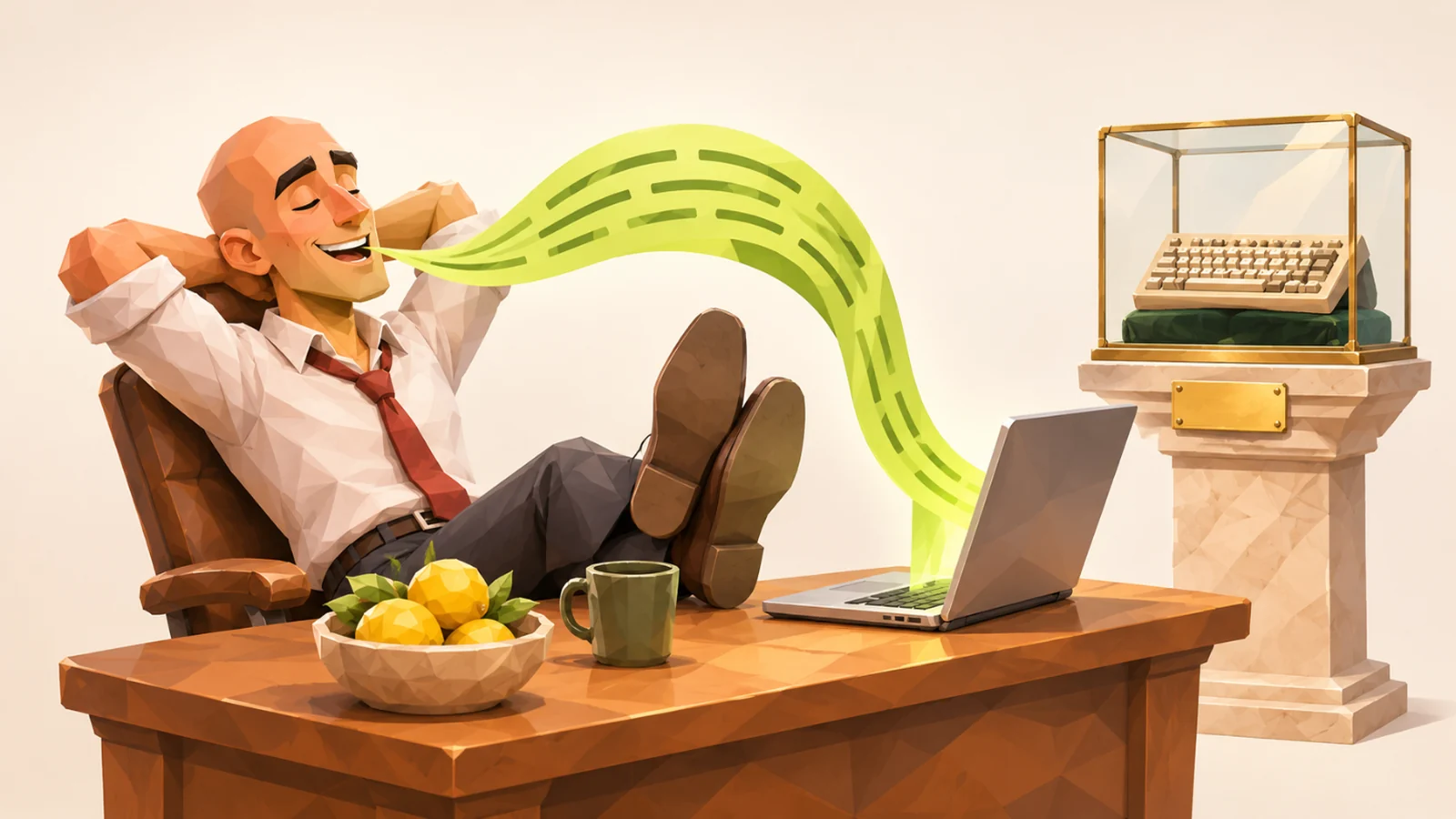
I dictate almost everything now. Emails, proposals, prompts for Claude. I hold two keys, talk, let go, and the text is there.
The tool I use is OpenWhispr. It's free, it's open source, and the speech-to-text model runs on your own computer, so your voice stays there. Here's how to set it up on Windows in about ten minutes.
What you need
- A Windows 10 or 11 PC (64-bit)
- A microphone, the built-in one is fine
- Room for a 620 MB download
- 10 minutes
Step 1: Download OpenWhispr
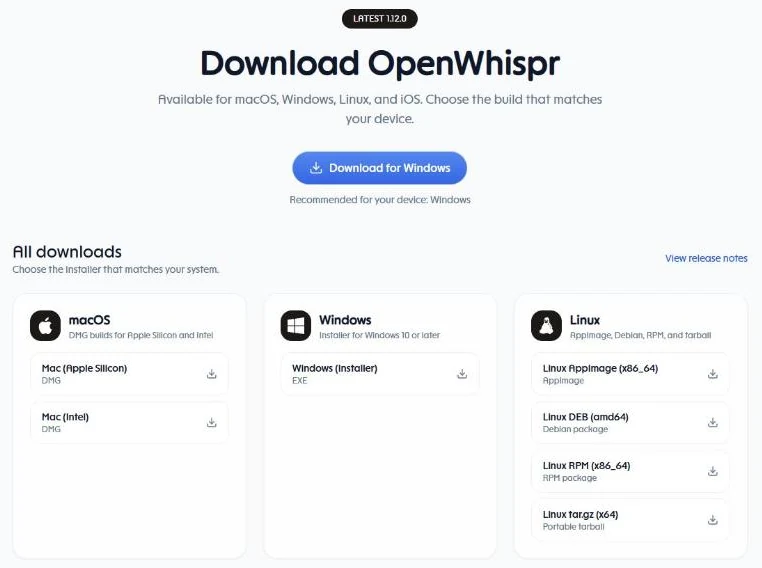
Go to openwhispr.com/download and click Download for Windows. You get one installer, an .exe file.
Step 2: Run the installer
Double-click the file and follow the steps. On a work laptop where you can't install for everyone, choose Only for me.
A blue warning screen?
Windows SmartScreen sometimes warns about apps it hasn't seen much yet, even signed ones like this one. Click More info, then Run anyway. Only do that for a file you downloaded from openwhispr.com yourself.
Step 3: Pick Local and download the model
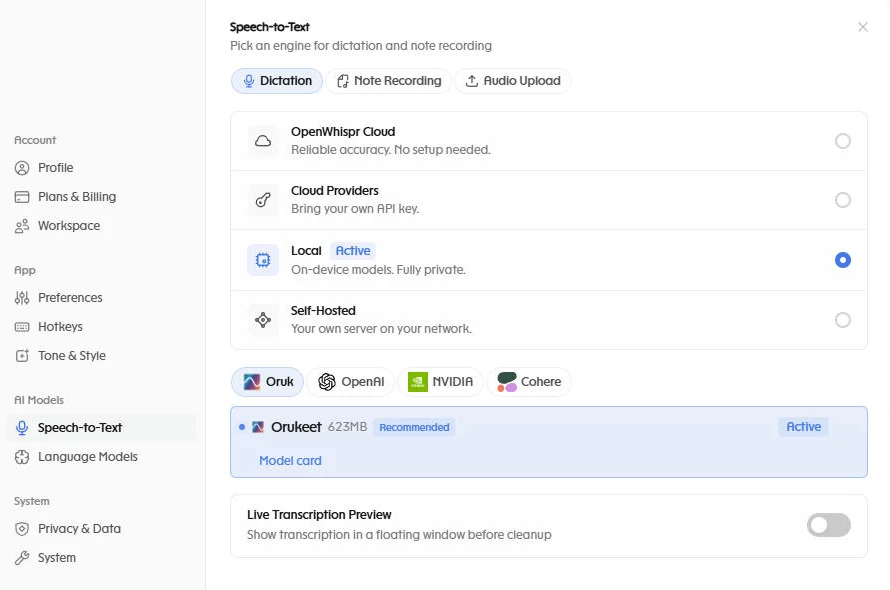
The first time OpenWhispr opens, it walks you through a short setup. When it asks how to turn your speech into text, choose Local. That's the private option: the model runs on your PC and your voice stays there.
Pick Orukeet, the recommended model (about 620 MB), and let it download. Skipped it during setup? You'll find it under Settings > Speech-to-Text.
Step 4: Set your hotkey
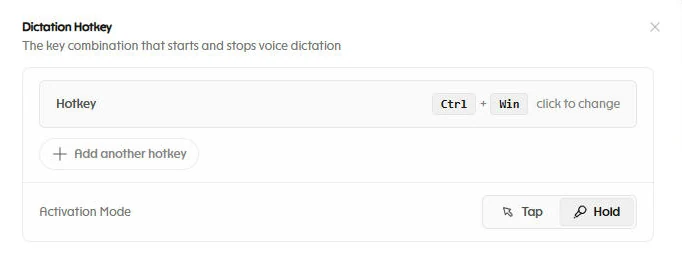
The default is Ctrl + Windows key. Keep it. Under Settings > Hotkeys, choose Hold: you hold the keys while you talk and let go when you're done. Prefer Tap? Tap once to start, once to stop.
Still have Wispr Flow?
It listens to Ctrl + Win as well. Two apps on one hotkey get in each other's way, so uninstall the old one (Windows Settings > Apps) or give one of them a different hotkey.
Step 5: Talk
Click in any text field: an email, a chat, a Word document, Claude. Hold Ctrl + Win, say what you want to write and let go. A moment later the text is there, right where your cursor was.
Nothing happens? Check that Windows lets apps use your microphone: Settings > Privacy & security > Microphone.
Step 6: Check what leaves your PC
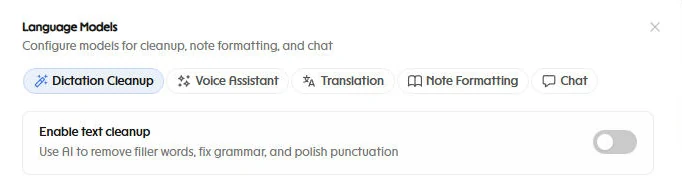
With a local model, your voice stays on your computer. One setting can still send text out: cleanup. That's a language model that strips the uhms and fixes the punctuation after the transcription. According to OpenWhispr's docs it's on by default, and it can run in their cloud.
Go to Settings > Language Models > Dictation Cleanup. Want everything on your PC? Pick a local model there, or switch cleanup off. I have it off.
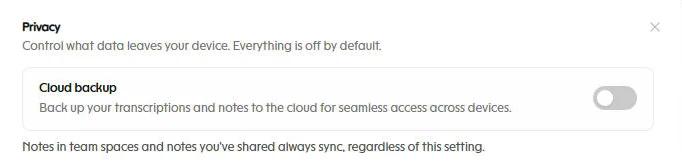
Under Settings > Privacy & Data you'll find the rest: cloud backup and usage analytics stay off until you turn them on.
On a Mac?
Same idea, other buttons. Download the .dmg for your Mac (Apple Silicon or Intel), drag OpenWhispr to Applications and allow the microphone and Accessibility when it asks. The default hotkey is the Globe key (Fn), and on a Mac you tap it to start and tap again to stop.
That's it. Stop typing, start talking.
Want to know why I left Wispr Flow for this, and how it stacks up against the rest? Read my OpenWhispr review
Checked on 22 November 2026 against OpenWhispr 1.12.0 and docs.openwhispr.com.